Free WooCommerce theme for t-shirt print shops
Premium T-Shirt Print Shop (FREE) is a free block theme for WooCommerce shops that print t-shirts to order, with a front page, shop pages, page patterns and three style variations, and room on the product page for the free PrintBlob designer.
- Download the theme
The zip to upload in Appearance › Themes › Add Theme.
- Try the whole shop live
The theme, its demo shop and PrintBlob, set up in WordPress Playground in your browser.
- Try PrintBlob on TasteWP
A free TasteWP test site with WooCommerce and PrintBlob, where you can upload the theme’s zip.
Published , by the PrintBlob team.
Screenshots
What is included
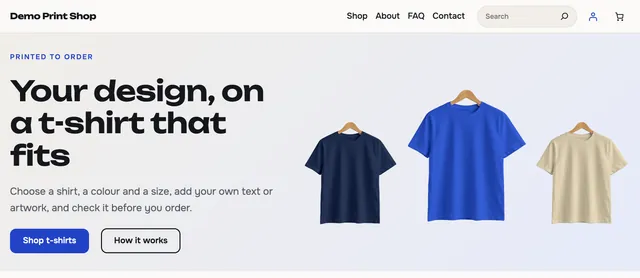
- A front page built from patterns: a hero with coloured t-shirts, colour swatches, featured products, category tiles, three steps, print methods, a size guide, questions and answers, the latest posts and a closing call to action.
- Page patterns for About, Contact, FAQ, Size guide and Shipping and returns.
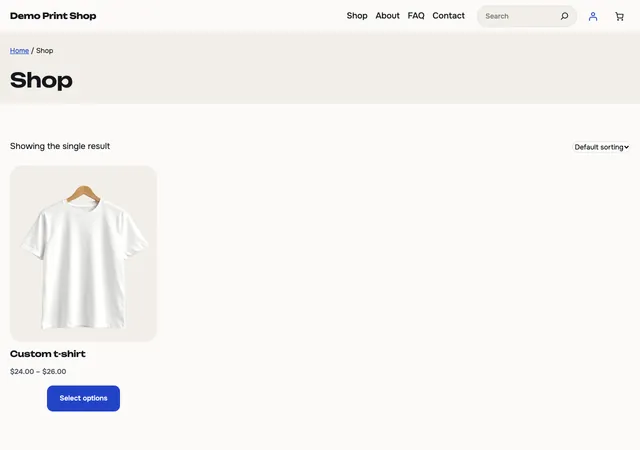
- Templates for the shop, product categories, a single product, the cart, the checkout, the order confirmation, search, posts, pages and 404.
- Three style variations besides the default look: Midnight (dark), Bold and Sand.
- A header with a menu, a search field and the WooCommerce mini cart, and a footer with columns for shop, help and company.
- Two bundled fonts, Onest and Unbounded, loaded from the theme: no requests to other sites.
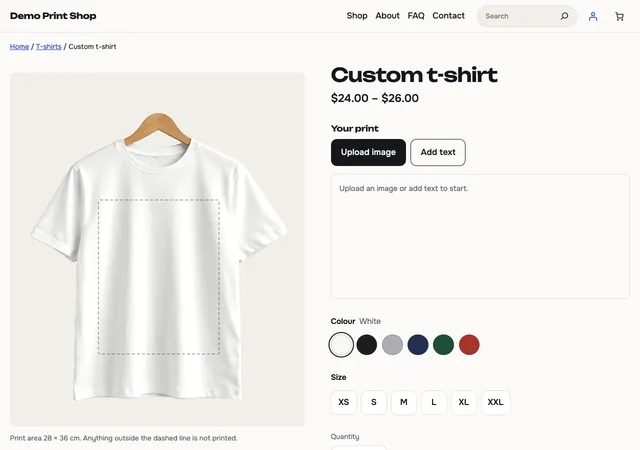
- Room on the product page for the PrintBlob designer, which customers use to put their own text and images on a t-shirt.
Requirements
- WordPress 7.0 or newer
- PHP 7.4 or newer
- WooCommerce, for the shop
- PrintBlob, for the designer (optional)
Version 1.0.0, tested up to WordPress 7.1. The zip is 0.7 MB, SHA-256 29e8dea4b4d731f0feb19570cec8b46bd4ef66b1ec981786ec44cd08d1508dc5.
Install it
- Get the theme. Download the theme’s zip from this page. In WordPress, open Appearance › Themes › Add Theme › Upload Theme and choose the zip.
- Activate it. Select Activate. Install and activate WooCommerce too, if your site does not have it.
- Add the designer. Open Appearance › Product designer and choose Install PrintBlob, then run PrintBlob › Quick setup: it makes a t-shirt customers can design.
- Make it yours. Open Appearance › Editor to change the front page, the header and the footer, and Appearance › Editor › Styles to pick a style variation.
Questions
Is the theme free?
Yes. Premium T-Shirt Print Shop (FREE) is free and licensed under the GPL, version 2 or later, like WordPress.
Does it need PrintBlob?
No. The theme works on its own. It is made to go with the free PrintBlob designer, which you can install from Appearance › Product designer after you activate the theme: WordPress installs it only when you press the button.
Does it need WooCommerce?
The theme works without WooCommerce, but its shop templates, product grid and mini cart are made for it.
Does the theme add demo content?
No: themes may not create content. Its patterns are text and pictures you edit. The live shop on this page is filled by a separate demo script that runs only in WordPress Playground.
What does “Try the whole shop live” open?
WordPress Playground, which runs WordPress in your browser. It installs WooCommerce, PrintBlob and the theme, adds a demo shop with products, pages and posts, and opens its home page, signed in as the administrator. Nothing is installed on your computer, and the site is gone when you close the tab.
Is it on WordPress.org?
Not yet. Until the WordPress.org theme directory lists it, download it here; every release checks it with Theme Check, the tool WordPress.org’s theme reviewers use.