Emoji in the product designer
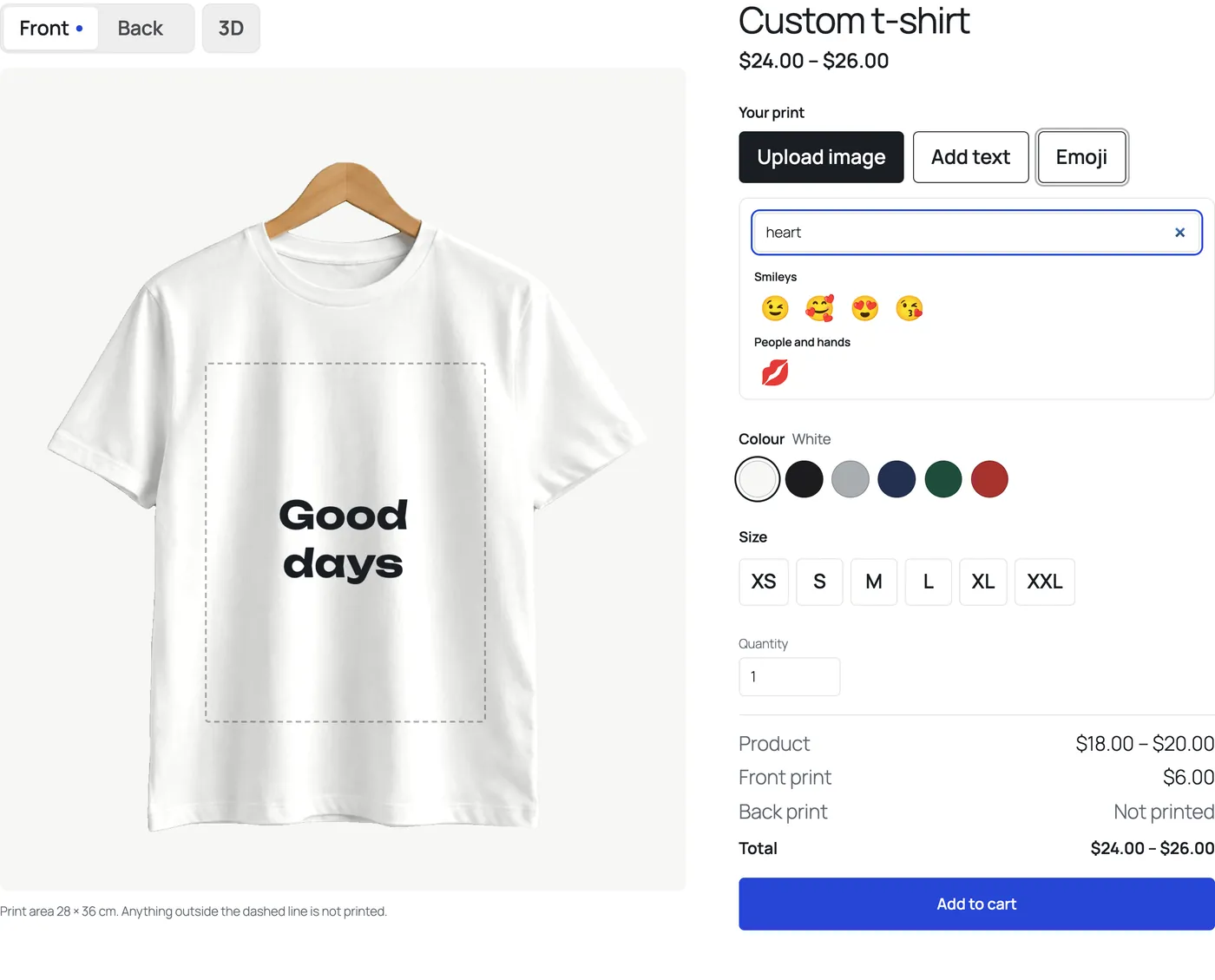
PrintBlob Pro adds an Emoji tool to the designer, beside Upload image and Add text, with more than 300 emoji to search and add to the product. Each emoji is vector art, so it prints sharp at any size, from a small chest mark to the whole print area. There is nothing to set up.
PrintBlob Pro
Published , updated , by the PrintBlob team.
Free or Pro?
- Pro More than 300 emoji in the designer, searchable, printed as vector art so they are sharp at any size.
What does the Emoji tool do?
It gives customers something to add when they have no image of their own: a heart beside a name, a football on a team shirt, a sun on a holiday shirt. The Emoji tool opens a panel of more than 300 emoji in groups, with a search box. A selected emoji goes into the print area like an image: the customer moves, resizes and rotates it, brings it forward or sends it back.
Why vector art?
An emoji placed large on a shirt has to print as cleanly as it shows. PrintBlob Pro’s emoji are SVG files, drawn at the size they print, so a large emoji never looks pixelated on the shirt.
Who is it for?
Shops selling to the public rather than to businesses with their own logos: gifts, holidays, parties, family shirts, kids’ clothing. Emoji give a design something more than text in a few seconds.
What are the limits?
The emoji set is fixed and keeps its own colours. Your own art goes into PrintBlob Pro’s clipart library instead, under PrintBlob › Clipart, where customers find it in the designer’s Clipart tool and can recolour SVG art; customers upload their own images with Upload image.
How do customers add an emoji?
- Open the Emoji tool. In the designer, select Emoji beside Upload image and Add text.
- Search or browse. Type a word in Search emoji, or scroll through the groups.
- Add it. Select an emoji: it is placed in the print area, to move, resize and rotate like an image.
Set it up
- PrintBlob Pro
PrintBlob Pro adds print-ready files of every order (a 300 DPI PNG, a vector PDF and SVG, and a CMYK PDF through your printer's profile) with the customers' original images, your own products and photos, back and sleeve printing, a 3D view, design templates, a clipart library, quantity breaks, names and numbers for team orders, a print queue with ZIP downloads, and your own fonts.
Questions
Do emoji print blurry when they are made large?
No. They are vector art, drawn at the size they print, so they stay sharp at any size.
Can customers recolour an emoji?
No. Emoji keep their own colours. Text and ink colours are for text.
Get PrintBlob Pro
Pro adds print-ready files, back printing, a 3D view and a production print queue to the free designer. Paid with Stripe in US dollars, no tax added; one domain per licence.
$69 a year
Full refund within 14 days
Limited-time offer until 31 December 2026
$99 once
Full refund within 14 days
Try it on your own shop
PrintBlob is free in the WordPress.org plugin directory: install it, turn the designer on for a product and take a design order. PrintBlob Pro is $69 a year or $99 once (limited-time offer until 31 December 2026), with a full refund within 14 days.