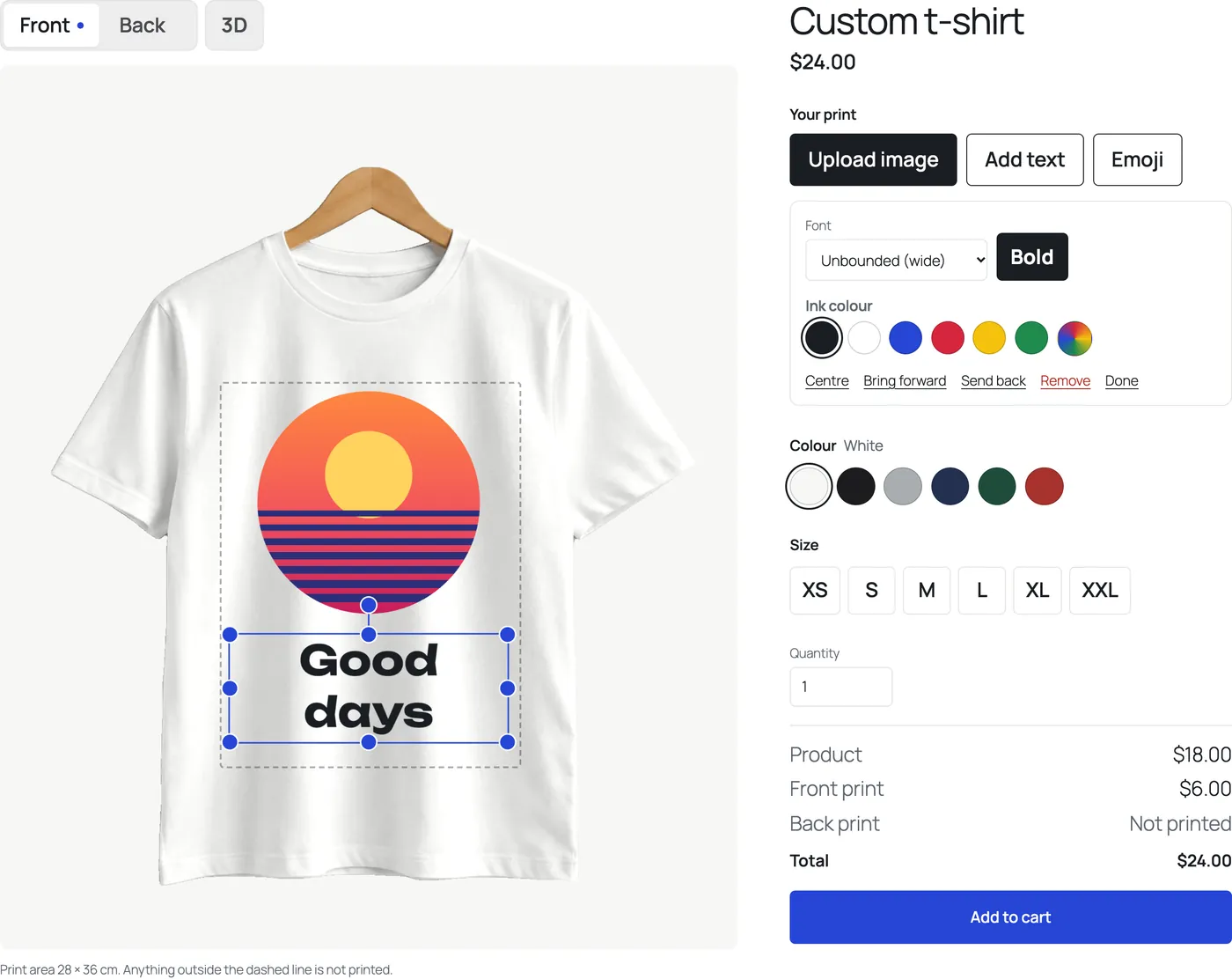
The product designer, with text typed on the product
PrintBlob's designer lets a customer put photos, logos and text on your product photo, move, resize and rotate them inside the print area, and add the design to the cart with its colour and size. Text is typed straight on the product: there is no text field. It is in the free plugin, on the product page in any theme and as a block on any page.
Free
Published , updated , by the PrintBlob team.
Free or Pro?
- Free The designer on the product page or any page: photos, logos and text, moved, resized and rotated on the product.
- Free Text typed on the product, in four bundled fonts.
- Free A warning when a customer’s image is too small to print sharply.
What does the designer do?
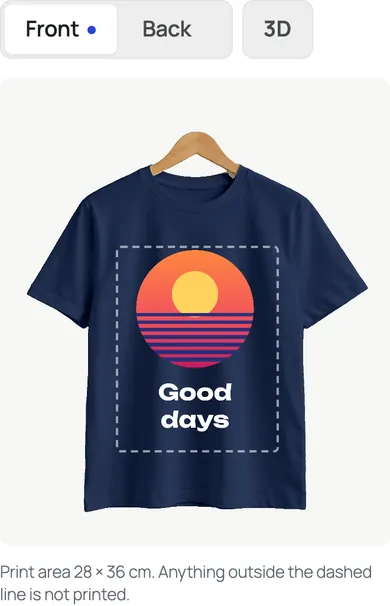
A customer opens a product with the designer turned on and sees your product photo with its print area drawn on it as a dashed line, the real print size in centimetres under it, and the tools beside it:
- Upload image: a photo or a logo from their device, placed in the print area.
- Add text: a new text, typed on the product. New text is centred, bold and in an ink that stands out on the colour chosen. They choose the font, bold and the ink colour.
- Move, resize and rotate anything with the pointer or a finger, and Centre, Bring forward, Send back and Remove it.
- Colour, size and quantity, with the price adding the print to the product’s price as they go.
Anything outside the dashed line is not printed, and the designer says so under the product. When an image is too small to print sharply at the size it is placed (below 150 DPI), the designer warns the customer before they order.
Who is it for?
Shops that print what their customers design: print shops taking custom orders, team and club shops, event and merch shops. The customer does the layout, so you get an order you can print instead of an email thread about where the logo goes.
Why is text typed on the product?
Because that is where a customer reads it. A text field next to the product makes them type in one place and look in another; typing on the product shows the line breaks, the font and the size as they type. It is Fabric.js’s own text editing, so selecting words, the arrow keys and copy and paste work as everywhere else.
Where does it show?
On the product’s own page in any theme, block or classic, for every product that has the designer turned on, and wherever you add the PrintBlob designer block. It takes your theme’s text font and colours (see theme integration). With PrintBlob Pro it also goes into page builders: see page builders.
What does it not do?
There is no curved or outlined text. The free designer has no clipart, design templates or list of names: PrintBlob Pro adds a clipart library of art you upload, design templates customers start from, and names and numbers, a list of names, numbers and sizes on one design. A design is made one product at a time, and a list of names is typed in the designer: there is no spreadsheet import.
How do I turn the designer on for a product?
- Install PrintBlob. In WordPress, open Plugins › Add Plugin, search for PrintBlob, then Install Now and Activate. WooCommerce must be active.
- Open the product. Edit the product in WooCommerce and open Product data › PrintBlob designer.
- Turn the designer on. Tick Designer, choose the mockup customers design on and enter the print price for the front.
- Update the product. The designer now shows on the product's own page. To show it on another page, add the PrintBlob designer block there.
Try it in the live demo
Text typed on the product. The designer opens with a line of text already typed on the front. There is no text field: customers type on the shirt itself, and choose one of the four bundled fonts, bold and an ink colour.
Set it up
- Installation
PrintBlob needs WordPress 7.0, WooCommerce 10.0 and PHP 7.4 or newer. Install the free plugin from the WordPress.org directory or as a zip, set up your first product, then add PrintBlob Pro when you need it.
- Products
To sell a product with the designer, open the product's PrintBlob designer tab, turn the designer on, choose its mockup and set a print price for each printed side.
- Settings
PrintBlob's settings are under WooCommerce › Settings › PrintBlob: the designer page, the colour and size attributes, the upload limit and how long designs that were never ordered are kept.
- Theme integration
The designer takes your theme's colours, fonts and corner radius by itself. To change them, set PrintBlob's CSS custom properties in your theme.
- Add custom text to WooCommerce products: names, slogans and messages
Two ways to let customers personalise WooCommerce products with their own text, how to keep custom text readable once it's printed, font licences for merchandise, and how to price it.
- Let customers upload a logo or photo to a WooCommerce product
WooCommerce has no upload field on product pages. Three ways to accept customers' logos and photos for printing, what makes an upload printable, and how to handle storage, privacy and image rights.
Questions
Can customers type text without a text box?
Yes. Add text puts a new text on the product with its words selected, so the first key typed replaces them. To change a text later, a customer chooses it in the list or taps it twice on the product.
Which image files can customers upload?
PNG, JPG and WebP. By default an image can be up to 20 MB (Largest customer image under WooCommerce › Settings › PrintBlob) and a design keeps up to 10 of the customer's images.
Does the designer work on phones?
Yes. The layout follows the screen's width, and moving, resizing and rotating work with a finger.
Get PrintBlob Pro
Pro adds print-ready files, back printing, a 3D view and a production print queue to the free designer. Paid with Stripe in US dollars, no tax added; one domain per licence.
$69 a year
Full refund within 14 days
Limited-time offer until 31 December 2026
$99 once
Full refund within 14 days
Try it on your own shop
PrintBlob is free in the WordPress.org plugin directory: install it, turn the designer on for a product and take a design order. PrintBlob Pro is $69 a year or $99 once (limited-time offer until 31 December 2026), with a full refund within 14 days.