Front, back and sleeve printing
The free plugin prints on the front. PrintBlob Pro adds the back and the left and right sleeves as printable sides, each with its own photo, print area and print price, and customers switch between them in the designer. Every printed side gets its own print file, and the price adds each side only when it has a print.
Free, with more in PrintBlob Pro
Published , updated , by the PrintBlob team.
Free or Pro?
- Free Front printing on the bundled product, with its own print price.
- Pro Back printing, with its own photo, print area and price.
- Pro Sleeve printing, with their own photos, print areas and prices.
How does it look to the customer?
Above the product, the designer shows a tab for each printable side: Front, Back, and with sleeves Left sleeve and Right sleeve. A dot on a tab shows that side has a print. Each side has its own photo and print area, and the design on one side is kept while the customer works on another.
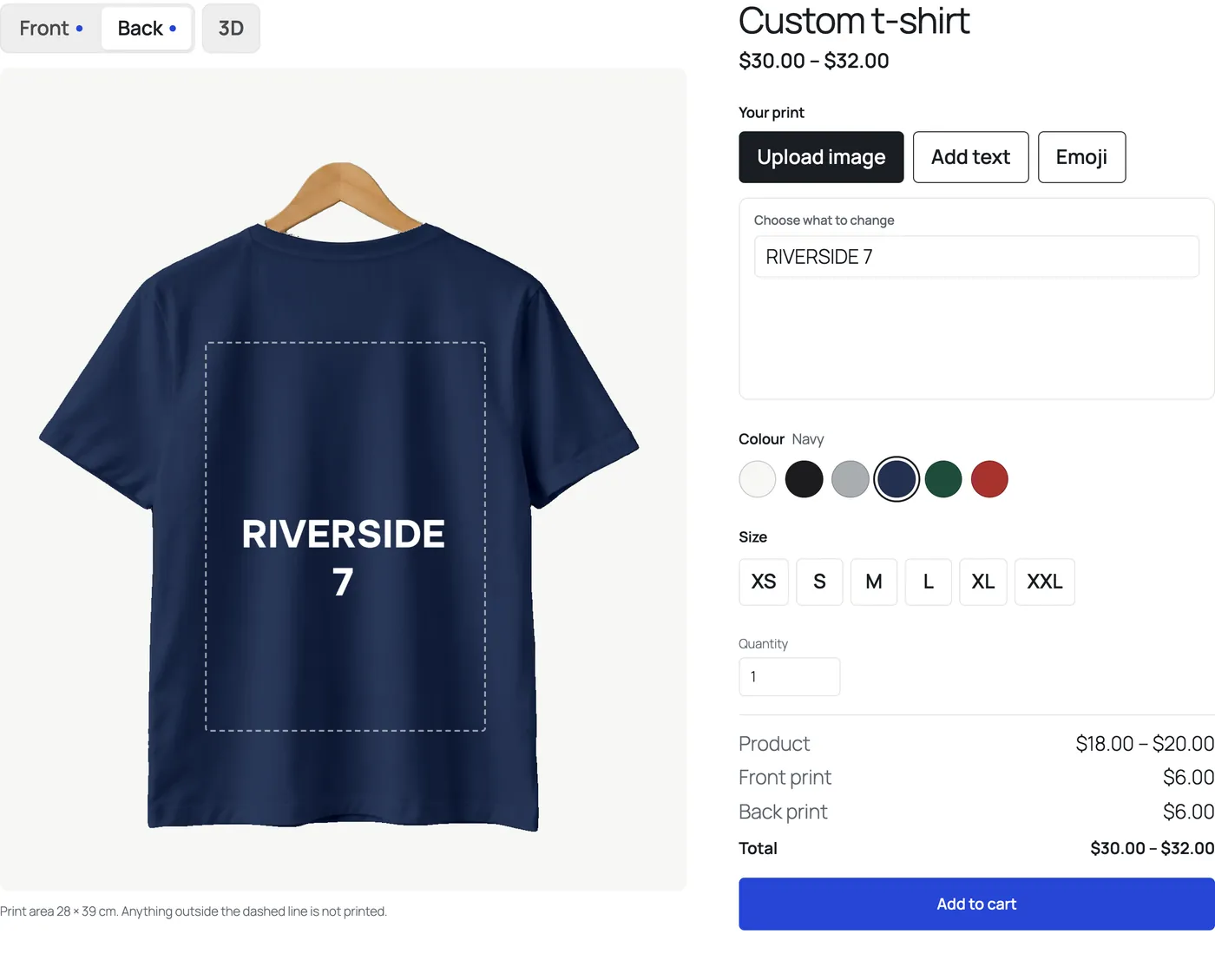
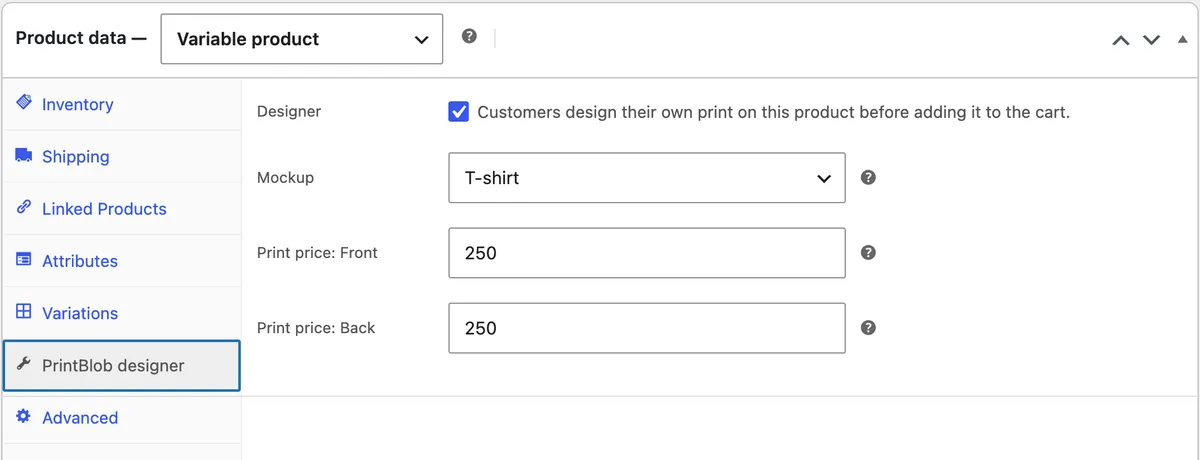
The price lists each printed side: a back print is added only once the back has something on it. In the cart and the order, each designed item says which sides are printed, and with PrintBlob Pro each printed side has its own print file.
Who is it for?
Team and club kit, with a crest on the front and a name and number on the back; events, with a sponsor on the sleeve; merch, with a small logo on the chest and artwork across the back. Anything that is more than one print on one garment.
What are the limits?
The printable sides are the front, the back and the two sleeves, one print area each: a hood or a pocket is printed only as part of one of them. A side’s print price is set per product and does not change with the size of the print.
How do I add the back and the sleeves?
- Activate PrintBlob Pro. The bundled t-shirt mockup already has its back photo, so the back is ready to price.
- Add the sleeves to the mockup. Open the mockup under PrintBlob › Mockups. Left sleeve and Right sleeve appear next to Front and Back.
- Give each sleeve a photo and a print area. Choose a photo of the sleeve, drag the print area onto it and set the print size; it starts at 9 × 9 cm.
- Price each side. In each product's PrintBlob designer tab, set the print price of the back and of a sleeve. Each is added only when that side has a print.
Try it in the live demo
Front and back. The demo has PrintBlob Pro’s back printing: Front and Back above the shirt, each with its own photo, print area and print price. A dot on a side shows it has a print, and the price lists each printed side.
Set it up
- PrintBlob Pro
PrintBlob Pro adds print-ready files of every order (a 300 DPI PNG, a vector PDF and SVG, and a CMYK PDF through your printer's profile) with the customers' original images, your own products and photos, back and sleeve printing, a 3D view, design templates, a clipart library, quantity breaks, names and numbers for team orders, a print queue with ZIP downloads, and your own fonts.
- Mockups
A mockup is a product photo for each printable side, with its print area and the real print size in centimetres. PrintBlob Pro makes every order's print files at that size: a 300 DPI PNG, a vector PDF and an SVG.
- Products
To sell a product with the designer, open the product's PrintBlob designer tab, turn the designer on, choose its mockup and set a print price for each printed side.
- Team and group orders with names and numbers in WooCommerce
How print shops take orders where every shirt shares one design but has its own name, number and size: the options WooCommerce gives you, how customers list every person on one design with PrintBlob Pro's names and numbers, how the free plugin takes them one at a time, and how to check each line's print file.
Questions
Does a customer pay for a side they leave empty?
No. Each side's print price is added when that side has a print, and the price breakdown shows Not printed for the others.
Is the back the same design as the front?
No. Each side has its own design, kept while the customer switches between the sides, and its own print file.
Get PrintBlob Pro
Pro adds print-ready files, back printing, a 3D view and a production print queue to the free designer. Paid with Stripe in US dollars, no tax added; one domain per licence.
$69 a year
Full refund within 14 days
Limited-time offer until 31 December 2026
$99 once
Full refund within 14 days
Try it on your own shop
PrintBlob is free in the WordPress.org plugin directory: install it, turn the designer on for a product and take a design order. PrintBlob Pro is $69 a year or $99 once (limited-time offer until 31 December 2026), with a full refund within 14 days.