Settings
The options under WooCommerce › Settings › PrintBlob.
Open WooCommerce › Settings › PrintBlob.
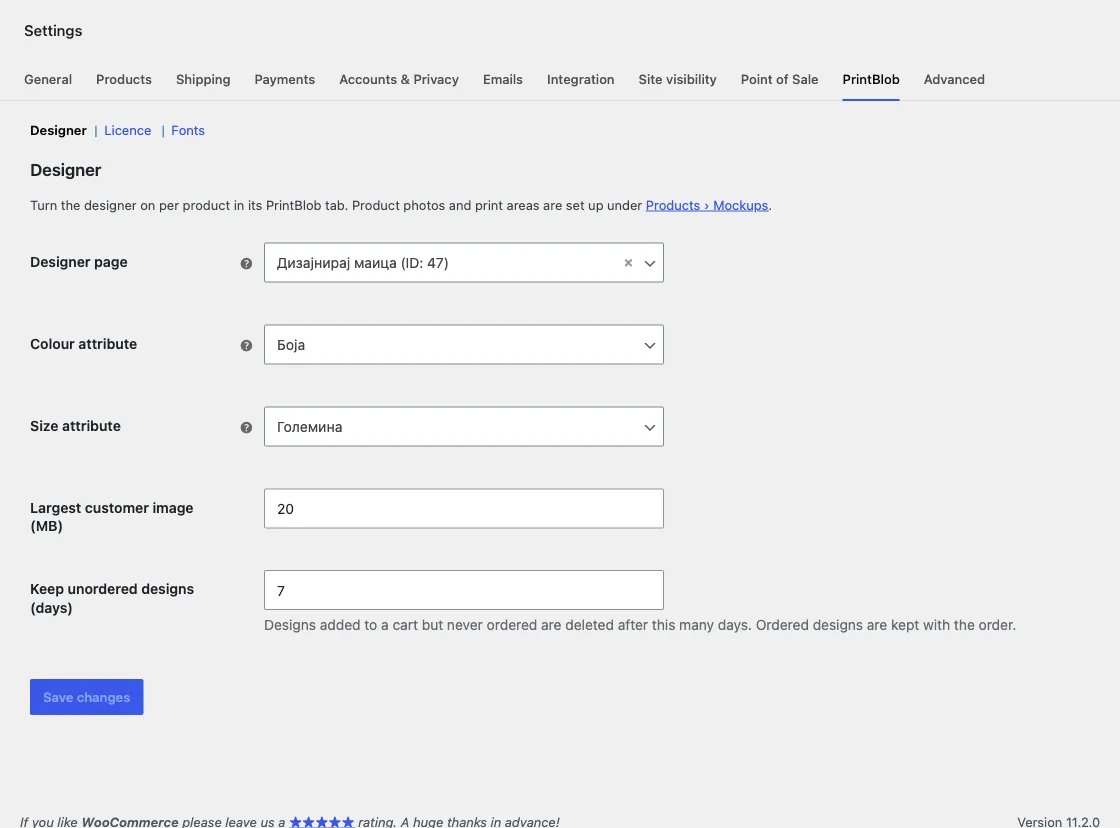
| Setting | What it does |
|---|---|
| Designer page | Where the Colours block and colour links send customers. Leave empty to use the first page that contains the designer. |
| Colour attribute | The product attribute whose terms are the product colours. Each colour gets a colour value and a photo on its edit screen. |
| Size attribute | The product attribute that holds sizes, shown as size buttons in the designer. |
| Largest customer image (MB) | The largest file a customer can upload. Default 20. |
| Keep unordered designs (days) | Designs added to a cart but never ordered are deleted after this many days. Ordered designs are kept with the order. Default 7. |
With PrintBlob Pro there are two more sections: Licence (see Licence and updates) and Fonts (see PrintBlob Pro).