Cap designer for WooCommerce
Your cap on its product page: a logo or initials on the front, for print or embroidery.
PrintBlob Pro
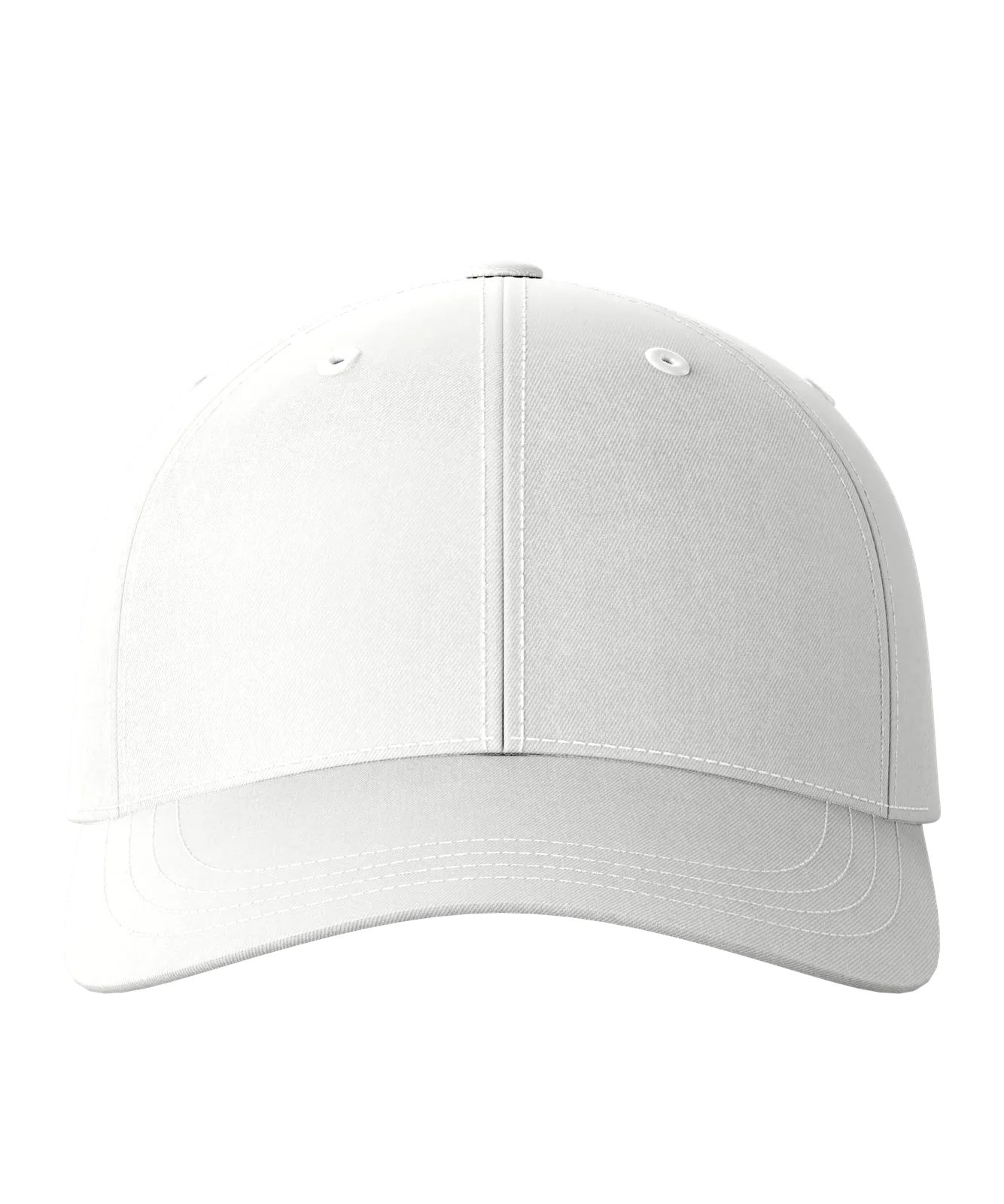
PrintBlob Pro ($99 once for a lifetime licence (limited-time offer until 31 December 2026) or $69 for the first year (limited-time offer until 31 December 2026), then $99 a year) puts a cap designer on your WooCommerce product page: customers upload a logo or type initials on the cap's front, inside a print area of 4 × 2 in (10.2 × 5.1 cm), and see it on every cap colour from one white photo. When the cap goes into the cart, the front becomes a transparent 300 DPI PNG of 1200 × 600 pixels, a vector PDF and an SVG. PrintBlob makes no embroidery file: for an embroidered cap, those files and the customer's original image go to your digitiser.
- Printed sides
- Front
- Front print size
- 4 × 2 in (10.2 × 5.1 cm)
- Print file
- 1200 × 600 pixels
- Colours
- 6, from one photo
Published , updated , by the PrintBlob team.
Design a cap in the live designer
This is PrintBlob's designer, running the plugin's own code, on a cap as PrintBlob Pro shows it: its front, with its print area at its real size, and every colour made from one photo. Upload an image, add text, pick a colour and size, then press Add to cart: instead of a cart, you get the print files your shop would receive.
Your own copy of a ready t-shirt shop on InstaWP, with WooCommerce, PrintBlob and the free t-shirt shop theme, signed in and free for 4 hours. InstaWP asks for your email, and the shop’s Make it yours button keeps it in an InstaWP account of your own, on an InstaWP plan you choose.
Your own products, such as this cap, need PrintBlob Pro: the ready shop has the free plugin’s t-shirt.
Loading the designer…
Print area 10.2 × 5.1 cm. Anything outside the dashed line is not printed.Print area 10.2 × 5.1 cm.
Custom cap
$24.00
Your print
Upload an image or add text to start.
- Product
- $18.00
- Front print
- +$6.00Not printed
- Total
- $24.00
About 186 KB to download.
What customers print on a cap
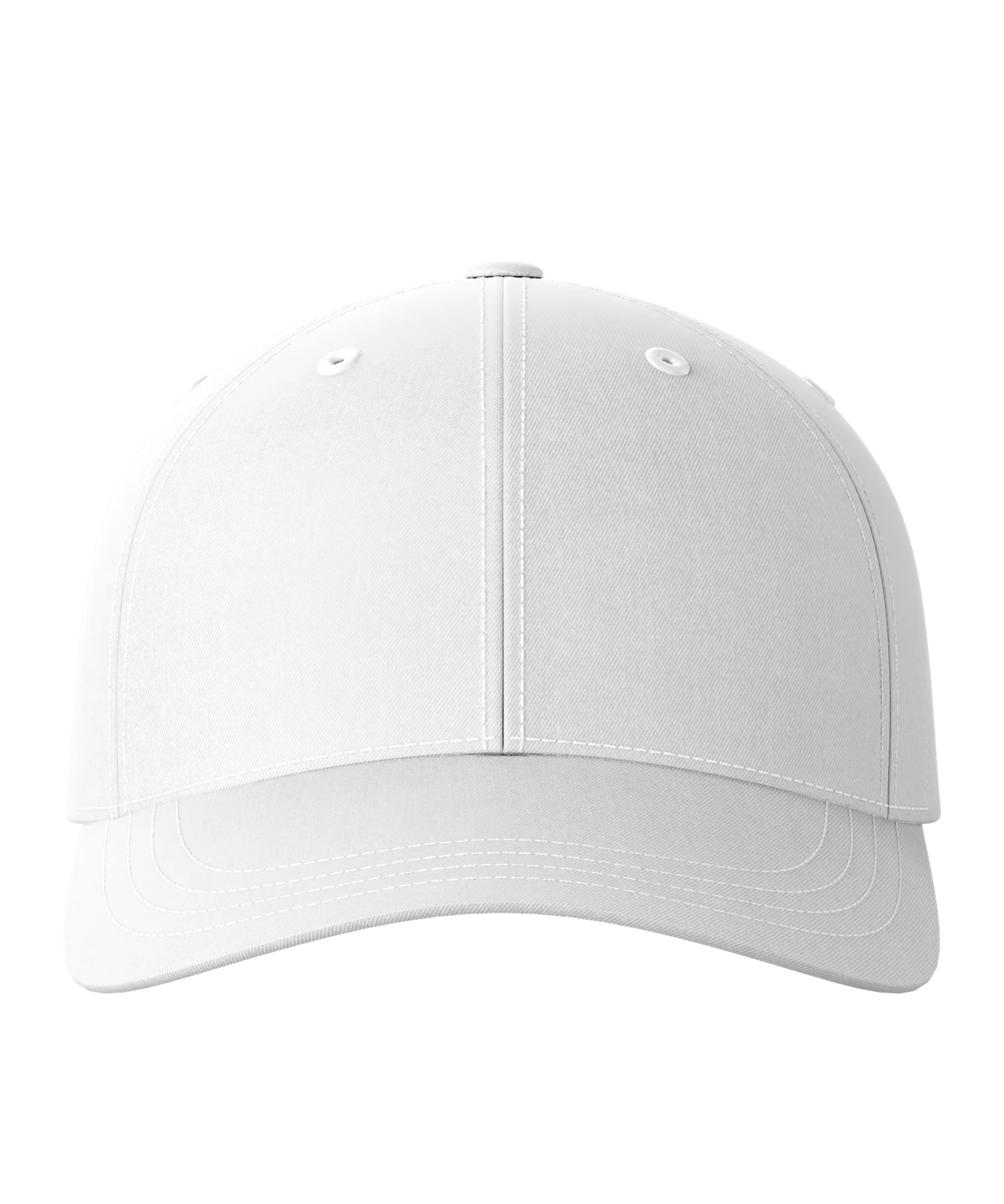
A cap is printed on its front only, with its own print price. A design is made at the size below, and PrintBlob Pro makes it a transparent PNG at 300 DPI, a vector PDF and an SVG at that exact size, and a CMYK PDF through your printer's ICC profile.
| Side | Placement | Design size | Print file at 300 DPI |
|---|---|---|---|
| Front | Structured cap front | 4 × 2 in (10.2 × 5.1 cm) | 1200 × 600 pixels |
What else PrintBlob does
Every feature has its own page, with what it does and how to set it up.
Print files and print queue
A 300 DPI PNG, a vector PDF and an SVG at the exact print size, and CMYK PDFs with PrintBlob Pro.
Free, with more in PrintBlob Pro
Fonts
Four fonts included. Add your theme’s, your own and Google Fonts with PrintBlob Pro.
Free, with more in PrintBlob Pro
How do I sell a custom cap with PrintBlob Pro?
- Photograph the cap. A white cap, square on from the front, on a transparent background. A photo from behind, at the same distance, gives it the 3D view.
- Make the cap's mockup. In PrintBlob › Mockups › Add mockup, tick Customers can print on this side for Front only, draw the print area over the front panels and enter its print size in centimetres, such as 4 × 2 in (10.2 × 5.1 cm). Give the Back its photo and leave it unticked.
- Turn the designer on for the cap. In the product's PrintBlob designer tab, tick Designer, choose the cap's mockup, list its colours and enter the front's print price.
- The customer designs and orders. They upload a logo or type their initials on the cap, see whether the logo prints sharply at that size, choose the colour and add it to the cart.
- Produce it from the queue. PrintBlob › Print queue lists the cap; Download order (ZIP) gives its PNG, PDF and SVG and a print list. Print the transfer, or send the files to your digitiser for an embroidered cap.
Does the designer warn when a logo is too small for the cap?
Yes. While a customer places an image, the designer shows its resolution at the size placed (“Prints sharp: 340 DPI at this size.”) and, below 150 DPI, warns that it may print blurry and to make it smaller or upload a larger file. It warns; it does not stop the customer adding the cap to the cart. A cap’s front is small, so a logo of 1200 × 600 pixels already fills it at 300 DPI.
Which files does each cap order bring?
| File | What it is | Free plugin | PrintBlob Pro |
|---|---|---|---|
| PNG | The print, transparent, 300 DPI at the print size | The t-shirt’s front | The cap’s front |
| The same print as vector, typed text as outlines | The t-shirt’s front | The cap’s front | |
| SVG | The same print as vector | The t-shirt’s front | The cap’s front |
| CMYK PDF | The PDF converted through your printer’s ICC profile | — | The cap’s front |
| Customer’s original | The image as the customer uploaded it | — | Yes |
PrintBlob › Print queue lists each designed cap still to produce, and Download order (ZIP) gives its files with a print list. For printed caps (DTF and other heat transfers), the PNG is the file the transfer maker prints.
What does PrintBlob give an embroiderer, and what does it not?
Caps are often embroidered. PrintBlob gives your digitiser what they start from: the logo’s size and place on the cap, fixed by the print area at its real size; the front as a vector PDF and SVG, in which typed initials and names are outlines and SVG clipart stays vector; the 300 DPI PNG; and, with PrintBlob Pro, the image exactly as the customer uploaded it.
It does not make the stitch file (a .DST or .PES file), count stitches, price by stitches or thread colours, or keep text above the smallest letters embroidery stitches, 0.25 in (0.6 cm). Customers may choose any ink colour, so matching it to a thread is the digitiser’s step. Say on the product page what size of text stitches well.
Can customers turn the cap in 3D?
Yes, with PrintBlob Pro, as a rounded shape made from the outline of your photos, with no 3D model to make: the crown turns and the customer’s design curves round the front panels at its real size. It is your photo on a rounded shape, not a model of a cap: turned towards the side, the brim stays part of the same rounded shape instead of standing out as a real brim does. Your own cap shows the photo you take from behind. This page’s demo shows the cap in 2D only, as a shop can choose for any product.
What does PrintBlob Pro cost, and who else does caps?
PrintBlob Pro is $99 once for a lifetime licence (limited-time offer until 31 December 2026) or $69 for the first year (limited-time offer until 31 December 2026), then $99 a year, with no fee on sales. Other designers whose pages name caps (read 30 October 2026; prices as read 21–29 October 2026):
| Designer | What it says about caps | Price |
|---|---|---|
| Zakeke | Caps with names, images and materials, 3D views and AR, production-ready files | From $59 a month billed yearly, plus 1.9% of each customised product |
| NBDesigner (Cmsmart) | “t-shirts, mugs, caps, phone cases”, a cap demo | $290 a year |
| Kickflip | “adding club logos to caps” | $59 a month, plus up to 1.95% of each Kickflip product sold |
| Fancy Product Designer | “t-shirts and baseball caps” | $99 a licence; its maker now develops Chamevo, and direct support goes only to active support licences |
| DesignCrate | “t-shirts, hoodies, mugs, tote bags, caps” | Free: one print area per product, a PNG |
None of these pages says its designer makes an embroidery file. Every designer side by side is in WooCommerce product designer plugins compared.
What does PrintBlob not do for caps?
- No embroidery file. It makes print files, not stitch files (.DST, .PES); your digitiser works from them.
- One flat rectangle. The designer shows the print area as a flat rectangle on the photo of a curved front.
- No brim that stands out in 3D. The 3D view rounds the photo’s outline, so the brim stays against the crown.
- No print-on-demand connection. PrintBlob sends no order to a printing service; it is for shops that decorate the caps themselves or send the files to their printer.
Sources
- Cap print sizes: hat logo size, compiled 20 October 2026 from embroiderers’, printers’ and cap makers’ published limits, among them Printful’s hat logo size and placement guide and the Richardson 256 decoration spec sheet.
- The smallest embroidered text: Gelato, embroidery design guidelines, and Bonfire, embroidery guidelines for hats.
- Other designers, read 30 October 2026: Zakeke, caps design software and pricing; Cmsmart, WooCommerce online product designer and pricing; Kickflip, sporting goods and pricing; Fancy Product Designer, its pricing and its support site; DesignCrate on WordPress.org.
- PrintBlob: the plugins’ code, and Free and Pro compared.
Free or Pro?
- Pro Print-ready files of every printed side and of earlier orders: a 300 DPI PNG, a vector PDF and an SVG of each, a CMYK PDF through your printer’s profile, and the customers’ original images.
- Pro Your own products: mugs, hoodies, bags, on your own photos, with print areas drawn on them.
- Pro A 3D view of the product, made from its own photos.
- Pro A print queue, with each order’s print files in one ZIP.
- Pro Custom fonts and Google Fonts, in the designer and the print files.
- Pro Quantity breaks: each printed side costs less from the quantities you set, shown in the designer and charged in the cart.
- Pro Design templates: designs you make for a product, which customers start from and change before they order.
- Pro A clipart library: your own art in categories, searchable in the designer, SVG art recoloured to the customer’s choice.
Questions
Can customers design a cap in WooCommerce with PrintBlob?
Yes, with PrintBlob Pro ($99 once for a lifetime licence (limited-time offer until 31 December 2026) or $69 for the first year (limited-time offer until 31 December 2026), then $99 a year). The cap is your own product on your own photos; customers place a logo or type initials on its front. The free plugin designs on the front of its bundled t-shirt only.
How big is the print area on a cap?
As big as you enter. This page's cap uses 4 × 2 in (10.2 × 5.1 cm) on the front, the largest a structured cap's front usually takes. Measure your own caps and ask your transfer supplier or digitiser for their limits.
Does PrintBlob make an embroidery file for caps?
No. It makes a transparent 300 DPI PNG, a vector PDF and an SVG at the print area's size, in which typed initials and names are outlines, and with PrintBlob Pro it keeps the customer's original image. A digitiser turns them into a stitch file, such as a .DST or .PES file. PrintBlob does not count stitches, price by them or limit text to thread colours.
Will a customer's small logo print sharply on a cap?
The designer tells them. While a logo is placed it shows its resolution at the size placed and warns below 150 DPI that it may print blurry; the customer can still add the cap to the cart. A cap's front is small, 1200 × 600 pixels at 300 DPI, so a logo far smaller than a t-shirt needs can print sharply.
Can customers turn the cap in 3D?
Yes, with PrintBlob Pro, as a rounded shape made from the outline of your photos, with the design curving round the front panels at its real size. It is not a model of a cap: turned towards the side, the brim stays against the crown instead of standing out.
Can I sell caps in more than one colour?
Yes. You photograph one white cap and list its colours; the designer recolours the photo to each, keeping its seams and shading. Recolouring tints every white and grey part the same colour, so for a two-tone cap, such as a trucker hat with a white mesh back, photograph each colour as you sell it.
Which other designers do caps, and what do they cost?
Read 30 October 2026, prices as read 21–29 October: Zakeke's caps page offers caps in 3D from $59 a month billed yearly plus 1.9% of each customised product; NBDesigner (Cmsmart) names caps at $290 a year; Kickflip shows club logos on caps at $59 a month plus a fee on each sale; Fancy Product Designer names baseball caps at $99 a licence, though its maker now develops Chamevo; DesignCrate, free, names caps with one print area and a PNG. None of their pages says it makes an embroidery file.
Other products
Set it up
Guides
Start free, add Pro when you need it
Pro adds back printing, a 3D view, a production print queue, CMYK PDFs and the print files of earlier orders to the free designer. Paid with Stripe in US dollars, no tax added; one domain per licence.
Free no card, no account
Download PrintBlob freeNo watermark, ever
Limited-time offer until 31 December 2026
Regular price $99$69 for the first year, then $99 a yearFull refund within 14 days
Limited-time offer until 31 December 2026
$99 once
Full refund within 14 days
Try it on your own shop
PrintBlob is free in the WordPress.org plugin directory: install it, turn the designer on for a product and take a design order. PrintBlob Pro is $99 once for a lifetime licence (limited-time offer until 31 December 2026) or $69 for the first year (limited-time offer until 31 December 2026), then $99 a year, with a full refund within 14 days.
PrintBlob is made and sold by microcompanies, LLC. About us, support, questions, terms, refunds, privacy, support@printblob.com.